

Sound difference
i-bVI-bIII-bVII feels epic, i-bVI-iv-V feels more classical, flat-II movement feels tense, and major-to-borrowed flat-side chords create trailer-style contrast.
Guitar chord progressions
Build cinematic guitar progressions with minor gravity, flat-six color, broad voicings, slow rhythm patterns, tempo ranges, arrangement mistakes, and StrumForge exercises.
Want more cinematic ideas? StrumForge Premium includes a Cinematic Style for generating your own progressions.
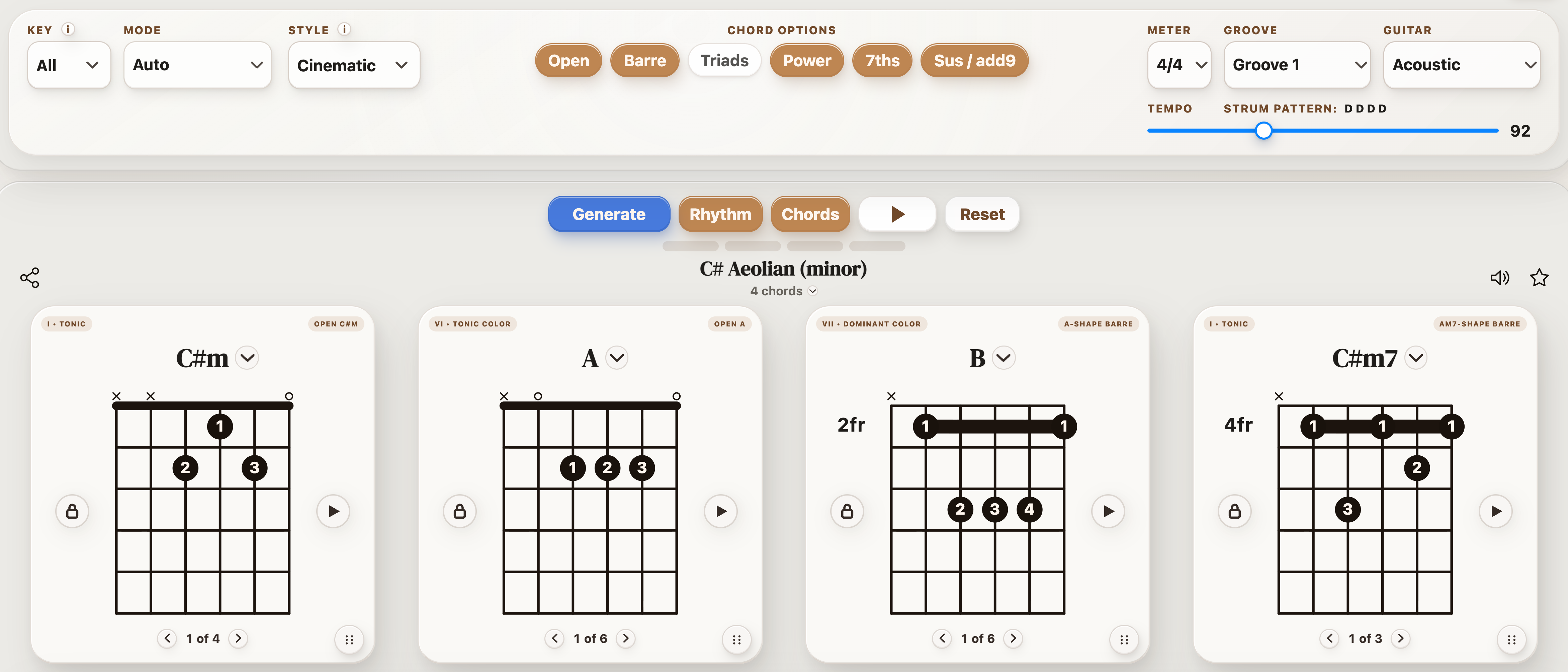
Use these four-chord examples as guitar-friendly starting points. Opening a linked loop in StrumForge counts toward the current 5 free daily progression generations.
Cinematic guitar harmony usually needs a strong tonal center, dramatic color chords, and enough space for the progression to feel like a scene instead of a loop.
i-bVI-bIII-bVII feels epic, i-bVI-iv-V feels more classical, flat-II movement feels tense, and major-to-borrowed flat-side chords create trailer-style contrast.
Try whole-note downstrokes, octave pulses, 6/8 arpeggios, tremolo-picked swells, or a low drone under slow chord hits.
Beginner version: 50-72 bpm with Am-F-C-G. Intermediate version: 65-90 bpm with wide triads, octave doubles, or bass movement between chord roots.
Do not stack every dramatic device at once. Choose one: flat VI, pedal bass, slow build, or wide voicing.
Open a cinematic minor loop, switch between open and barre shapes, then write one lead note that rises across all four chords.
| When you need... | What to do on guitar |
|---|---|
| To get the idea under your hands | Play one cinematic guitar progressions example slowly with a single voicing family before changing anything else. |
| To make the part cleaner | Fix the weakest chord change or rhythm accent first, then return to the full progression. |
| To make it your own | Change one variable at a time: key, capo position, rhythm, register, chord color, or scale focus. |
| To test it in StrumForge | Open a related loop when you want diagrams, groove playback, and timing practice. |
Use the page as a starting point, then move into the app when you need sound, timing, diagrams, and scale context.
With StrumForge Premium, select Cinematic in the Style menu to generate more ideas. Set Mode to Auto for a broad starting point. Compare Power shapes with Sus / add9 colors for weight or openness. Develop one progression through changes in register, sustain, and dynamics. Style guides new progressions within your selected key, mode, and chord options.
Short answers for players using this page as a practice or writing reference.
Start with one four-chord loop, slow the tempo down, and keep the same voicing family until the rhythm and chord changes feel automatic.
Yes. Each linked example opens a four-chord progression in the generator and counts toward the current 5 free daily progression generations.
Yes. Once the loop works, change key or capo position so the idea becomes a fretboard exercise instead of a memorized shape.