Your ideas, ready to play
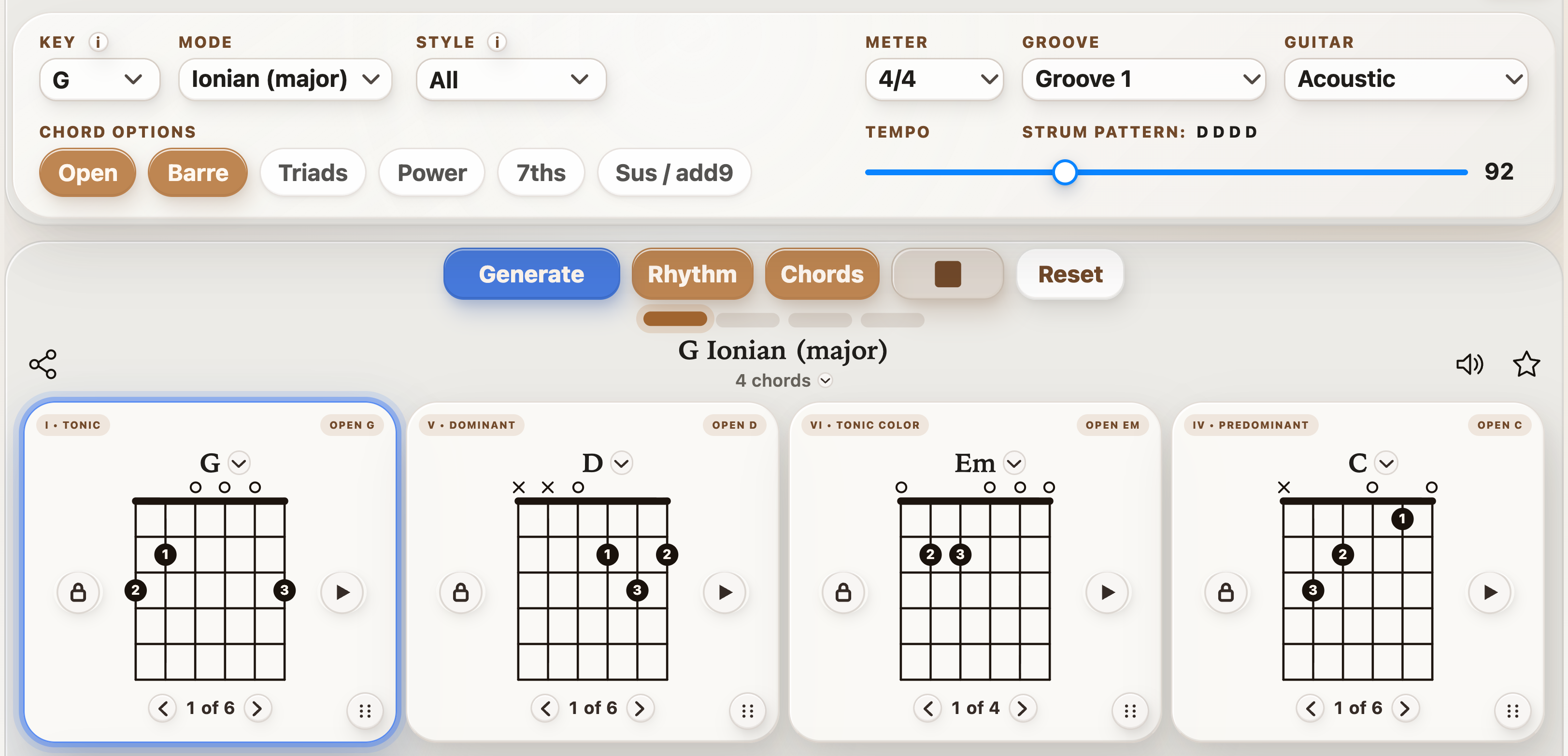
Generate harmony you can change, loop, and make your own. Keep a chord that inspires you and try a different direction around it.
StrumForge
About the guitar practice app
StrumForge brings songwriting and guitar practice together. Create chord progressions, explore triads and arpeggios, and hear how scales connect to the music you play.
Why StrumForge
A chord diagram tells you where to put your fingers. The next step is hearing where that chord can go, finding its notes elsewhere on the neck, and playing it with confidence. StrumForge puts those steps within reach in one app.
Generate harmony you can change, loop, and make your own. Keep a chord that inspires you and try a different direction around it.
Pair fretboard diagrams with playback. Connect a triad inversion or arpeggio pattern to its sound, then use it in your own playing.
Move between progressions, trainers, scales, metronome, and tuner without assembling a separate collection of practice apps.
The toolkit
Explore keys, modes, styles, and voicings with instant playback and drum grooves. Lock your favorite chords and refine the rest to start a song or build a practice loop.
Learn major, minor, diminished, and augmented triad inversions across string sets. Find compact voicings for smoother rhythm parts and a clearer view of the fretboard.
Practice CAGED shapes and seventh-chord arpeggios with fingerings and timed playback. Learn to target chord tones when building a solo or melody.
Explore scale diagrams, note names, and intervals with playback. See how patterns and chord tones relate so you can move beyond memorizing a single box.
Shape your practice with time signatures, beat accents, subdivisions, and swing. Work slowly on accuracy, then build control as you raise the tempo.
Tune up in standard tuning or explore presets such as Drop D, DADGAD, and Open G. Use reference tones and adjustable reference pitch to get ready to play.
Where it fits
Tab libraries help you learn existing songs. Guided lesson apps give your learning structure. StrumForge gives you a flexible space to apply those skills: create your own harmony, explore the fretboard, and practice at your pace.
Take a new triad, scale, or arpeggio into another key and hear it in action. Turn something you have just learned into something you can use.
Find a progression, compare chord shapes, and experiment with the groove. Let playback carry the harmony while you try a vocal line or guitar part.
Loop a progression and connect scale phrases to the changing chords. Use the trainers to find new places to land across the neck.
Make room for daily practice
Open StrumForge in your browser for a spacious fretboard view and quick access to a new idea. No account is required to get started.
Keep your practice tools close on iOS, iPadOS, and Android, whether you are warming up, writing on the couch, or fitting in a short session.
Start free, then choose optional StrumForge Pro for triad and arpeggio trainers, unlimited and longer progressions, saved favorites, and sync across devices.