One bar per chord
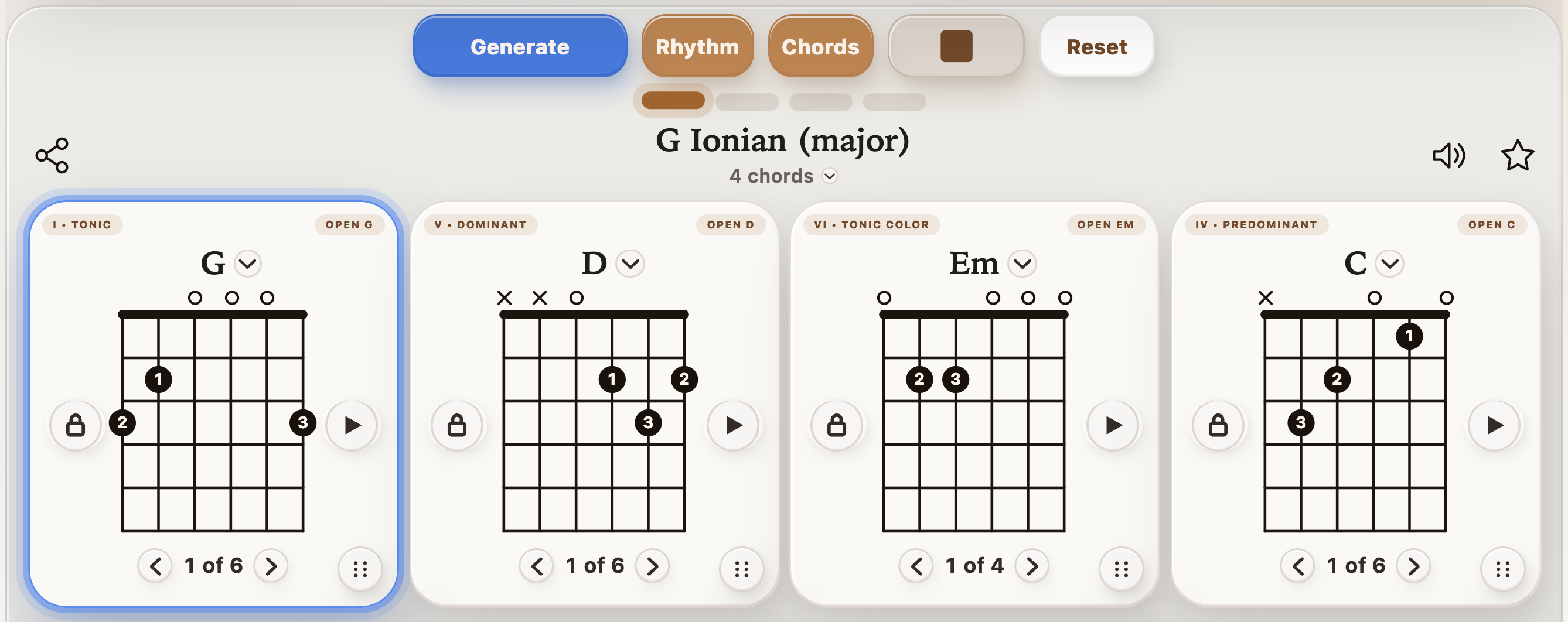
G – D – Em – C
Open this exact loop so you can repeat it later. Choose comfortable open shapes, use 4/4, and start around 60 BPM or slower.
Open these chords in StrumForge to set your practice tempo and voicings.


Guitar practice
The best app for your guitar chord-change practice should make the next chord clear and give you time to reach it. StrumForge suits players who want to practice changes inside a repeating musical progression. This guide shows the actual workflow and its limits, so you can decide whether it fits your practice.
Swipe or scroll sideways to see all columns.
| Useful capability | Why it matters | How StrumForge approaches it |
|---|---|---|
| Clear chord diagrams | You need a playable shape before measuring speed. | Choose supported voicings and follow the chord cards. |
| A repeatable loop | You can compare attempts under the same conditions. | Play a chosen progression repeatedly, with an active chord highlight. |
| Tempo control | A difficult transition needs enough preparation time. | Slow the groove and gradually increase the tempo yourself. |
| Voicing choices | A different grip may suit the transition better. | Cycle available shapes without rebuilding the musical idea. |
| A way to revisit an exercise | Consistency matters more than generating new chords every minute. | Use an existing chord link or save favorites and folders with Pro. |
| Honest feedback limits | Timing cues and automatic performance scoring are different capabilities. | Playback provides a reference; you judge note clarity and timing by listening. |
This is a guide to StrumForge’s own workflow, not an independent ranking of every guitar app. If you need a structured video course or automatic grading of your chord changes, evaluate a tool that explicitly provides those features.
G – D – Em – C
Open this exact loop so you can repeat it later. Choose comfortable open shapes, use 4/4, and start around 60 BPM or slower.
Open these chords in StrumForge to set your practice tempo and voicings.
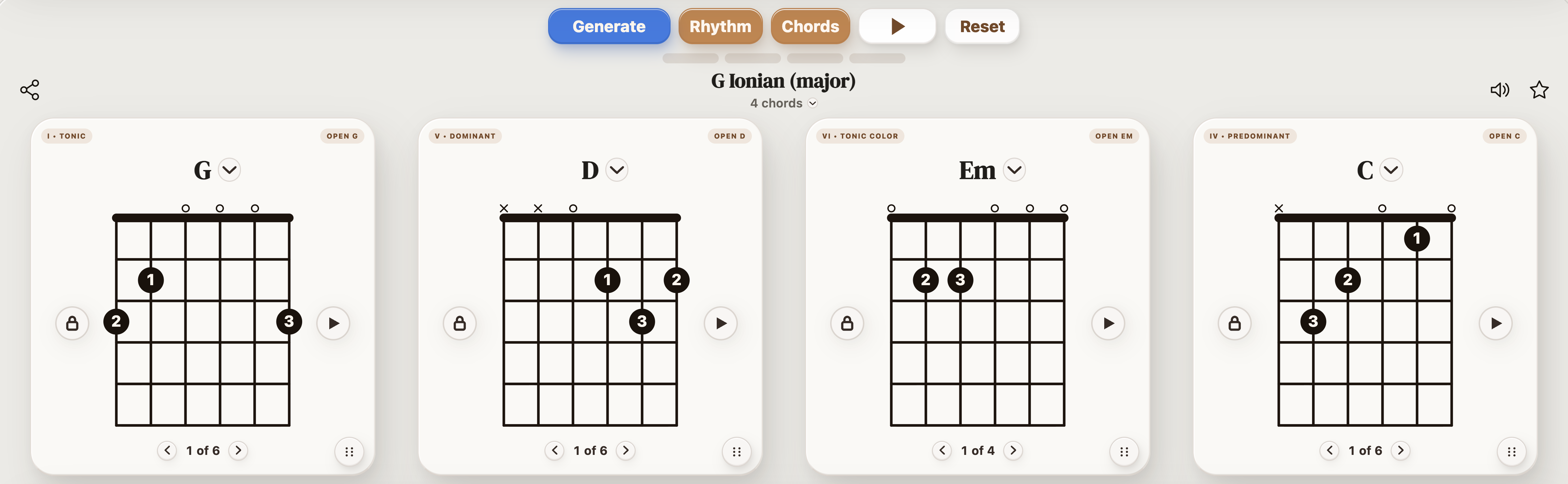
A chord lock preserves that slot when you generate a new progression. It does not freeze playback or select a two-chord practice loop. Use it when you like one chord and want to explore the surrounding harmony; leave the whole progression unchanged when measuring the same transition.
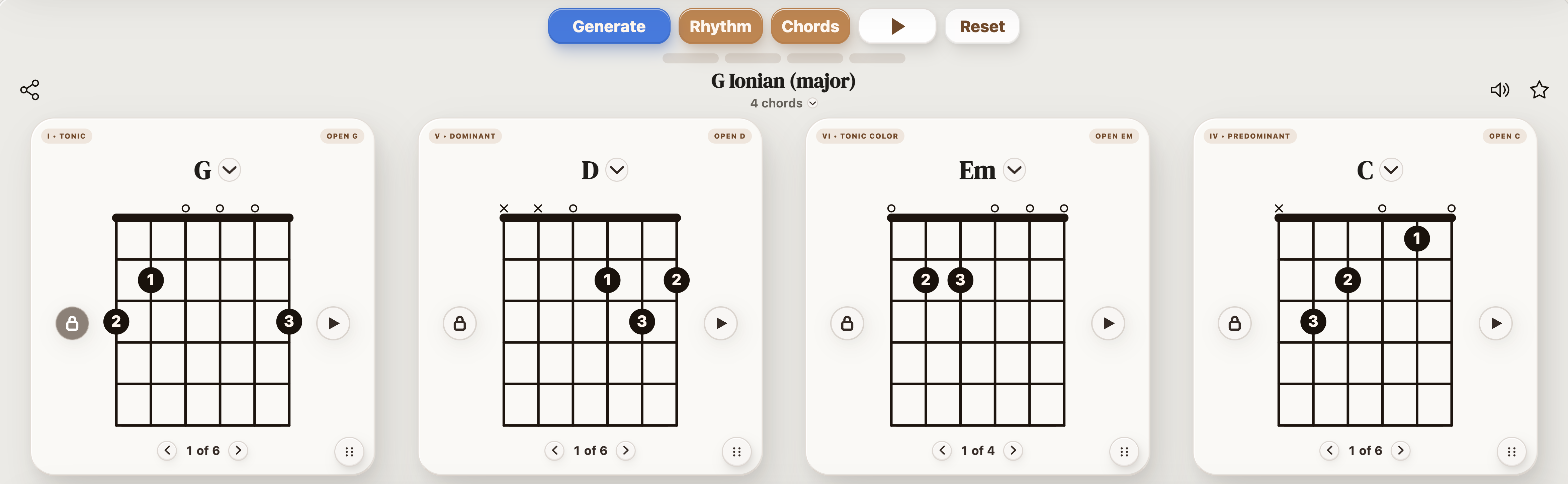
The shape selector lets you compare playable fingerings. For example, a partial voicing may help you keep a phrase moving while you work separately on a difficult full barre. The finger-movement guide explains how to isolate the movement itself.
Swipe or scroll sideways to see all columns.
| Time | Action | What to record |
|---|---|---|
| 0–2 minutes | Check the notes of G and D, then choose the weakest pair in the loop. | Chord pair and fingering. |
| 2–5 minutes | Alternate that pair every four beats at a controlled tempo. | Clean arrivals without a pause. |
| 5–8 minutes | Return to G–D–Em–C with the same pulse. | Whether C–G stays steady too. |
| 8–10 minutes | Play a final pass and note the next task. | Tempo, beats per chord, and one observation. |
For a full technical lesson, use how to practice chord changes. This page explains which app controls support that lesson; it does not replace checking your hand movement and listening to each note.
If the loop is too distracting, use the standalone metronome for a clear pulse. Subdivisions can make the space between changes easier to count. Its tempo trainer can increase BPM at a chosen bar interval, but it is a separate tool from progression playback.
Use the tuner before the session, choosing Standard for these diagrams. Save a successful progression to Favorites and organize exercises in folders. Practice history helps you review sessions, while your own notes record chord-pair accuracy and clean tempo.
Once open changes are comfortable, Triad Trainer helps you explore compact inversions. Arpeggio Trainer helps you hear and play their chord tones separately. Those are useful next steps, not prerequisites for learning G to D.
These exercises work with a guitar and a steady pulse. StrumForge offers free progression generation within its daily allowance. Interactive triad and arpeggio trainers, advanced scale playback, the dedicated metronome, tuner, favorites, and practice tracking require StrumForge Pro. Compare the app features and access options.
No. The tuner uses microphone input for pitch detection, but progression practice does not automatically grade your chord changes. Use the playback as a timing reference and listen or record yourself to judge clarity.
You can start with the free generator within its daily allowance. Pro unlocks additional tools such as the dedicated metronome, tuner, trainers, favorites, and practice tracking. Check the app overview for the broader feature and access explanation.
It is best suited to self-directed work with chord loops, diagrams, and timing. Use a teacher or a structured course when you need feedback on technique or a sequenced set of lessons.
StrumForge is available on the web, iPhone, iPad, and Android. The exercise here uses Standard-tuned guitar chord shapes.
For the complete product tour, visit the guitar practice app page. For focused fretboard work, explore Triad Trainer and Arpeggio Trainer.