Guitar rhythm practice is easier to judge when the fretting hand has a simple job. Start on one chord or muted strings, count the subdivisions aloud, and keep your strumming motion continuous. Add chord changes only after the pattern feels steady.
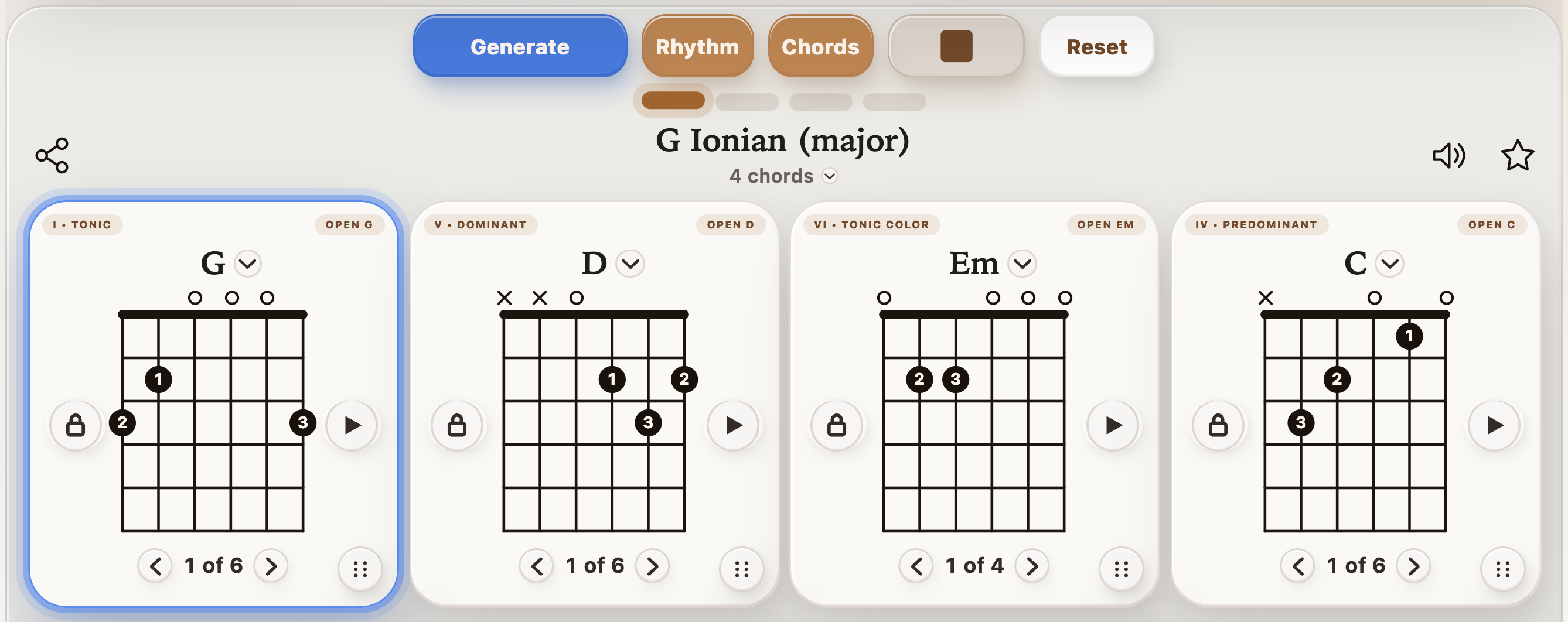
Follow the active chord through a repeating progression as you practice changes and timing.
Count the spaces between the beats
In 4/4, count 1 & 2 & 3 & 4 &. The numbers are the quarter-note beats; each “&” sits halfway between them. Begin at 60 BPM with two subdivisions per beat. Your downstroke falls on a number and your upstroke on “&”.
Swipe or scroll sideways to see all columns.
Count
1
&
2
&
3
&
4
&
Stroke
D
U
D
U
D
U
D
U
D means downstroke and U means upstroke. First clap the pattern, then brush muted strings, then use an Em chord. Keep the upstrokes light. If you rush between clicks, slow down and say all eight syllables evenly.
Four rhythm drills to practice in order
1. Quarter-note downstrokes
Use 4/4 at 60 BPM with one subdivision per beat. Play one downstroke on every click for four bars. Continue the down-up hand motion, but pass the strings silently on each upward movement.
Swipe or scroll sideways to see all columns.
Count
1
&
2
&
3
&
4
&
Stroke
D
—
D
—
D
—
D
—
2. Accent beats 2 and 4
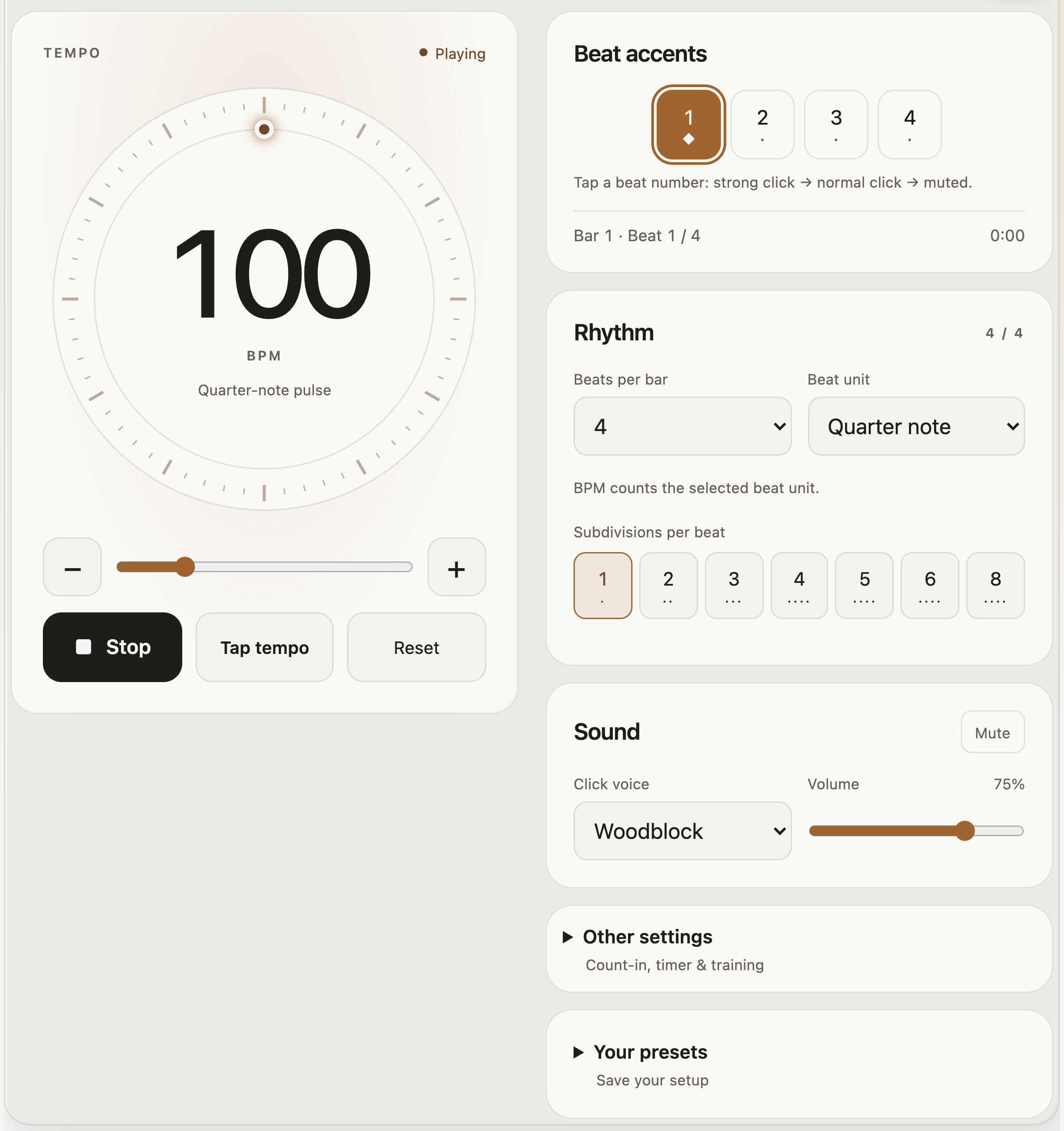
Return to straight eighth notes. Make only the downstrokes on 2 and 4 louder. In the metronome, tap each beat to cycle its accent: strong click, normal click, then muted. Use strong clicks on 2 and 4 as a reference, while keeping your unaccented strokes quiet.
Swipe or scroll sideways to see all columns.
Count
1
&
2
&
3
&
4
&
Stroke
D
U
D!
U
D
U
D!
U
3. Keep moving through skipped strokes
Try the common D–D–U–U–D–U pattern below. The dash means no new strum; let the chord ring. Your hand still passes the strings on each dash. Beat 3 is silent as a strum, but it must stay present in your count.
Swipe or scroll sideways to see all columns.
Count
1
&
2
&
3
&
4
&
Stroke
D
—
D
U
—
U
D
U
4. Add a controlled stop
Use the same pattern but stop the ringing strings on beat 3 with gentle muting, then resume on the following “&”. This is an actual rest in the sound, rather than merely a skipped strum. Keep counting through it. Compare the two versions before increasing tempo.
Put the rhythm over a simple chord loop
One-bar chord changes
E – A – D – A
Use one chord per bar. Practice drill 1 for four loops, then drill 2. The player previews the harmony; count and perform the selected strumming pattern yourself.
If the harmony is taking all your attention, return to one Em chord or muted strings. Twelve different progressions are not needed to learn one rhythm. Repeating one loop makes the timing changes easier to hear.
Set up the metronome for the exercise
Swipe or scroll sideways to see all columns.
Exercise
Tempo and meter
Subdivision / accent setup
Quarter-note pulse
60 BPM, 4 beats, quarter-note beat unit
1 subdivision; accent beat 1.
Straight eighth notes
60 BPM, 4/4
2 subdivisions; Swing at 50%.
Backbeat accents
60–80 BPM, 4/4
2 subdivisions; stronger clicks on beats 2 and 4.
Swing eighths
60–80 BPM, 4/4
2 subdivisions; try Swing at 67% and listen to the long–short spacing.
Sixteenth-note preparation
50–60 BPM, 4/4
4 subdivisions; count “1 e & a” for each beat.
With swing, the second note of each pair comes later than the halfway point. Do not try to keep straight eighth-note spacing over a swung click. With sixteenths, begin on muted strings and play fewer accents before adding chord changes.
The complete metronome workspace. Change its displayed 100 BPM to the slower starting tempo for your drill.
Use tempo training and silent bars after the pattern is stable
Open Other settings in the metronome. For a gradual tempo drill, try BPM change +5, Every N bars 8, and Target BPM 80, starting at 60. Stop the run when you cannot maintain the pattern; reaching the target is not the goal if the strokes become uneven.
For silent-bar training, set Play N bars 4 and Then mute N bars 1. Keep playing through the quiet bar and listen for whether you meet the next click. The visual beat indicators remain active during muted bars; look away briefly if you want to test timing without that cue. Keep the tempo trainer off while you first learn this exercise.
These exercises work with a guitar and a steady pulse. StrumForge offers free progression generation within its daily allowance. Interactive triad and arpeggio trainers, advanced scale playback, the dedicated metronome, tuner, favorites, and practice tracking require StrumForge Pro. Compare the app features and access options.
Fix the timing problem you can actually hear
Swipe or scroll sideways to see all columns.
What happens
What to try
You speed up during a rest.
Count the missing strokes aloud and keep the hand moving.
Every accented beat gets faster.
Reduce the accent’s volume and keep the same stroke distance.
The rhythm breaks at a chord change.
Return to one chord, then alternate only the troublesome pair.
You miss the first click after a silent bar.
Use a shorter silence and record one attempt to compare your return.
How do I know when to increase tempo?
Try three clean loops with continuous counting. Increase by a small step and check again. If two changes miss the beat, go back. Keep the chord-change drill separate from the rhythm drill when you cannot tell which hand is causing the pause.